November 15, 2026
SPF DKIM DMARC Explained: How to Stop Spoofed Email
You're staring at a Monday inbox that already feels hostile. A vendor swears the proposal never arrived, a prospect says your follow-up landed in spam, and finance just forwarded a note that looks exactly like it came from your CEO. The domain in the From line is yours. The request is not.
That mess is what SPF, DKIM, and DMARC explained in ordinary language is meant to untangle. A green check is not the finish line. Plenty of domains publish a record, watch spoofed mail sail through, and still wonder why real campaigns miss the inbox.
Table of Contents
- What SPF, DKIM and DMARC Each Actually Check
- Copy-Ready DNS Records for Your Domain
- The Misconfigurations That Quietly Break Authentication
- How to Roll Out DMARC Without Blocking Real Mail
- Read DMARC Reports and Headers to Find Failures
- Why Passing Checks Still Lands in Spam
- Keep Authentication Working and Check Records This Week
What SPF, DKIM and DMARC Each Actually Check
Say accounts opens a PDF invoice at 9:12 a.m. The From line reads your CEO. The bank details are new. Nothing in the message looks sloppy, which is why these fakes work. Before anyone argues about "the email looking legit," you need three different questions answered. The guest-list, wax-seal, and house-rules picture below is the fastest way to keep them straight.
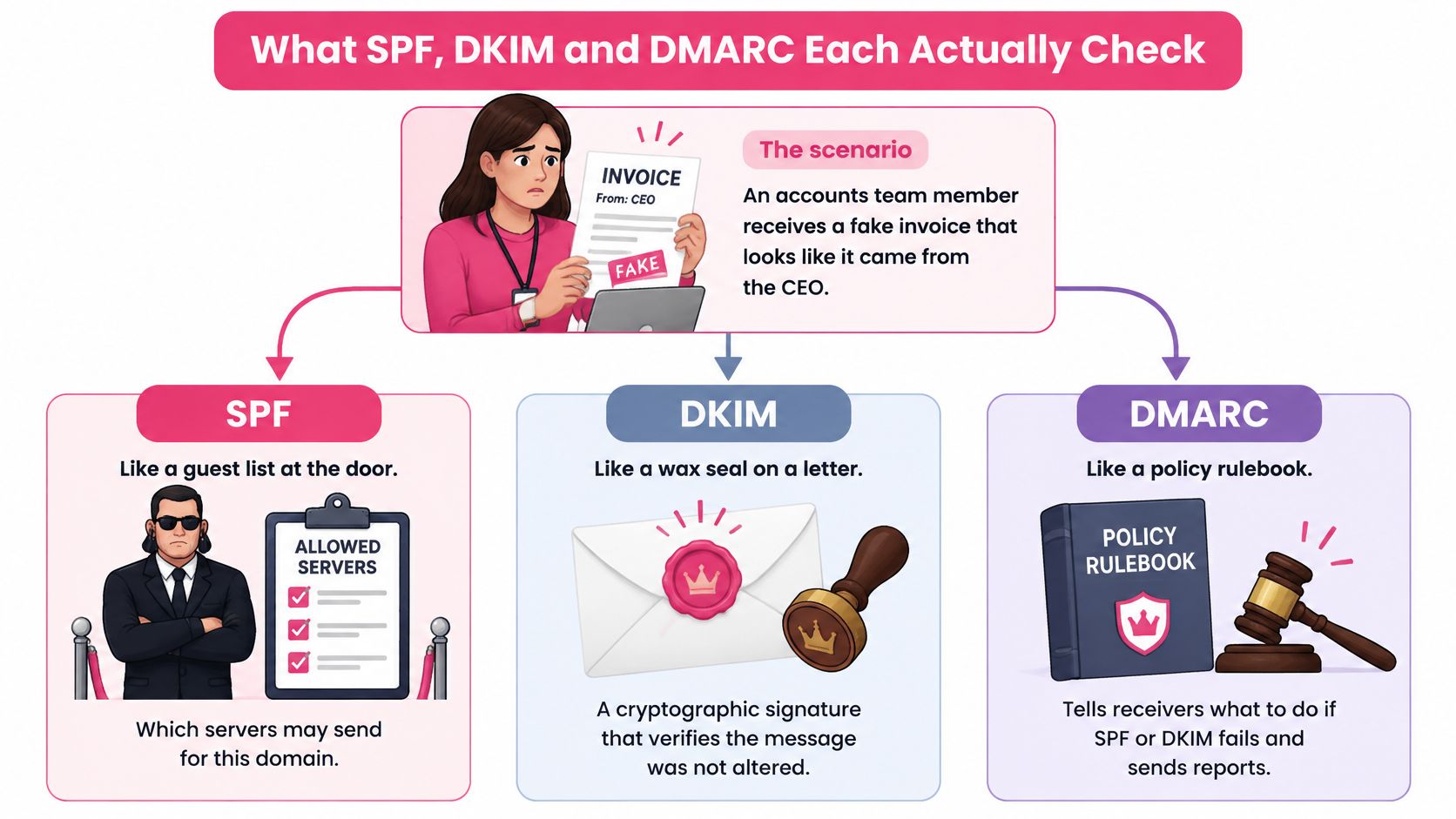
SPF is the guest list at the door. It publishes which servers may send for the domain, usually as IP addresses or hostnames in DNS. The check looks at the SMTP envelope sender, the Return-Path, not the name your coworker sees. An approved server can still carry a forged visible From.
DKIM is the wax seal on the letter. The sending platform signs selected headers and the body. The receiver fetches a public key from DNS and checks that the sealed parts weren't changed after signing. RFC 6376, the modern DKIM specification, was published as an Internet Standard in September 2011. The seal doesn't prove the human author is trustworthy. It proves the signing domain accepts responsibility and the signed portions stayed intact.
DMARC is the house rulebook. It asks whether SPF or DKIM both passes and aligns with the visible From domain, then tells receivers to monitor, quarantine, or reject failures, and to send you reports.
| Standard | What It Checks | Where Its Record Lives | What It Proves |
|---|---|---|---|
| SPF | Connecting server IP against the domain's authorized senders | TXT record at the domain | The sending infrastructure was approved by the domain |
| DKIM | Cryptographic signature on selected headers and body | TXT record at selector._domainkey | The signed content was not altered and the signing domain accepts responsibility |
| DMARC | Whether SPF or DKIM passes and aligns with the visible From domain | TXT record at _dmarc | How receivers should handle failures, plus reporting |
DMARC doesn't replace the other two. It needs at least one aligned pass, SPF, DKIM, or both. If accounts still isn't sure the invoice is a fake, pair that DNS check with a habit of spotting phishing emails in 2026 before anyone pays.
Copy-Ready DNS Records for Your Domain
Walk this with example.com, using a documentation address so you don't paste a live server into DNS by accident. Publish the four TXT records first, then change the pieces that belong to your providers.
| Record | Host Name | Example Value |
|---|---|---|
| SPF | example.com (TXT) | v=spf1 include:_spf.google.com ip4:203.0.113.10 -all |
| DKIM | selector1._domainkey.example.com (TXT) | v=DKIM1; k=rsa; p=MIGfMA0GCSqGSIb3DQEBAQUAA4GNADCBiQKBgQC... |
| DMARC, monitoring stage | _dmarc.example.com (TXT) | v=DMARC1; p=none; rua=mailto:dmarc-reports@example.com |
| DMARC, enforcement stage | _dmarc.example.com (TXT) | v=DMARC1; p=reject; rua=mailto:dmarc-reports@example.com |
What each tag is doing
The SPF string starts with v=spf1, the version. include:_spf.google.com pulls in a provider's own authorized servers, which is how Google Workspace, a CRM, or a marketing tool gets permission without you listing every IP they own. ip4:203.0.113.10 is one extra server you run yourself, such as an app server that sends receipts. -all is the hard fail. Anything not matched earlier is not allowed to use this domain in the envelope.
Only one SPF TXT record may sit on that host name. A second record doesn't merge with the first. Receivers treat the set as broken.
The DKIM host is selector1._domainkey.example.com. The selector is the label the sending platform assigns, so Google, your help desk, and your newsletter tool should not share one. v=DKIM1 marks the record type, k=rsa names the key algorithm, and p= holds the public key. The value above is truncated on purpose. Paste the full key your platform generates, with no line breaks and no extra quotes.
Monitoring record, then the strict one
The starter DMARC record lives at _dmarc.example.com. v=DMARC1 is required. p=none asks receivers to report failures and keep delivering the mail. rua=mailto:dmarc-reports@example.com is where daily aggregate reports go. Use a mailbox that can take XML attachments, not the CEO's personal inbox.
The later record keeps the same host and the same reporting address, and swaps the policy to p=reject. That is the instruction to refuse mail that fails alignment. Don't publish reject on day one. You haven't seen which tools speak for the domain yet.
Practical rule: Every legitimate sender appears in SPF, every platform has its own DKIM selector, and a DMARC record exists before you change anything else.
Before a campaign scales, read the live records back from DNS and compare them with this table. A typo in -all, a truncated p= key, or a DMARC host missing the underscore will fail without notice while the dashboard still says "authenticated."
The Misconfigurations That Quietly Break Authentication
The failure that burns teams most often isn't a missing record. It's an SPF record that looks complete and still can't be evaluated.
RFC 7208 says implementations must evaluate no more than 10 DNS-querying terms in a single SPF check. The terms that count are include, a, mx, ptr, exists, and redirect. all, ip4, and ip6 don't count, because they don't trigger a DNS query during evaluation. Nested includes count toward the same total. Five SaaS tools, each with its own include chain, can blow the budget even when every vendor is legitimate. Past the limit, the receiver must return permerror. Your app server was authorized. The check still fails.
Forwarding and mailing lists break SPF for a different reason. The server that hands the message onward isn't on your guest list, so the envelope check fails. DKIM can survive that hop if nobody rewrites the signed headers or body. A footer injector or a link rewriter usually ruins the seal.
Alignment and the short list of slips
A vendor can sign mail with its own domain, show dkim=pass, and still fail DMARC. Alignment cares whether the authenticated domain matches the visible From, not whether some signature somewhere was valid. Under relaxed alignment, organizational domains can match across subdomains. Strict alignment wants an exact match. A From of news.example.com signed as example.com passes relaxed and fails strict.
The slips we keep finding:
- Missing selector: One platform sends unsigned because nobody published its DKIM host.
- Soft fail left in place: The record ends in ~all when you meant -all, so unauthorized servers aren't a hard fail.
- Two SPF records: Two TXT strings on one host name, and evaluation returns permerror.
- Wrong DMARC host: The policy sits on the apex, or on dmarc.example.com without the underscore, so receivers never see it.
Fix the lookup problem by consolidating providers or moving a stream onto its own subdomain, then recount. Confirm alignment with one test message per platform, not a dashboard screenshot. If the list itself is full of role accounts and dead inboxes, clean it with a lead list cleaner before you blame DNS for spam placement.
How to Roll Out DMARC Without Blocking Real Mail
p=none feels like protection because the record exists. It isn't. It asks receivers to send reports. It doesn't ask them to quarantine or reject anything, so a spoofed CEO invoice still lands.
Google's sender guidance says to let SPF and DKIM authenticate messages for at least 48 hours before you enable DMARC. The same guidance requires bulk senders, defined by Google as more than 5,000 messages a day, to configure SPF, DKIM, and DMARC. It also states that mail to personal Gmail accounts needs DKIM keys of at least 1,024 bits.
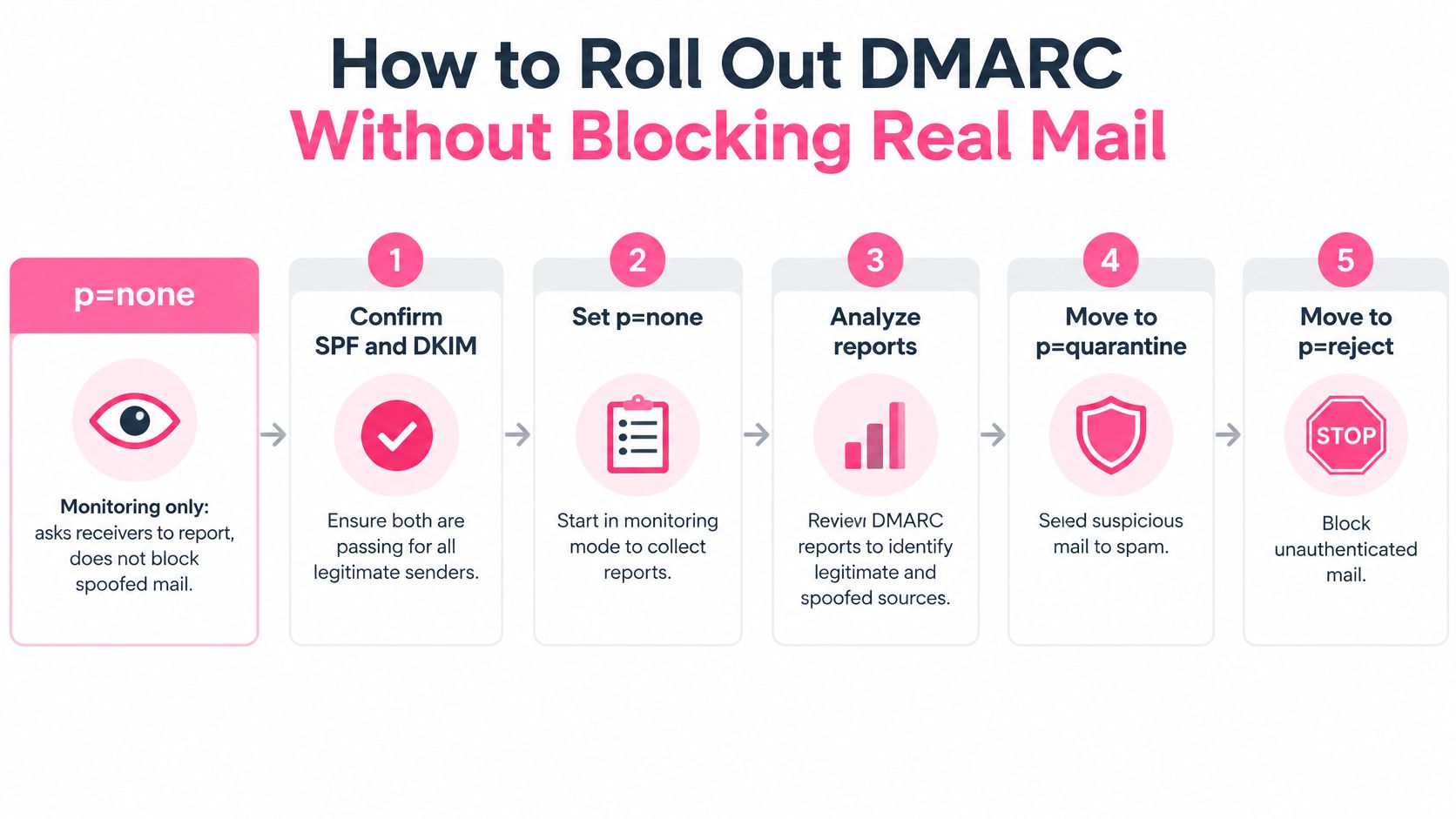
- Confirm SPF and DKIM pass for every legitimate sender for at least 48 hours, because Google wants that window before DMARC goes live.
- Publish p=none with an rua address so you collect aggregate reports without changing delivery.
- Read those reports and list every source, including the CRM, help desk, marketing platform, transactional mail, and forwarding paths.
- Fix unauthorized sources and alignment failures before any receiver is told to punish them.
- Move to p=quarantine and watch bounces and complaints, because this is the first time failing mail gets treated as suspicious.
- Move to p=reject only after legitimate mail passes consistently, since reject drops failures instead of filing them.
Don't jump from none to reject in one edit. A new sending domain, a new mailbox, or a new tool should trigger a short re-check before volume climbs. If you're unsure how much mail that new stream will add, sketch it in an outbound volume planner first.
Use a separate DKIM selector per provider and rotate keys one selector at a time. The d= domain on the signature, or the SPF Return-Path, has to line up with the visible From. Teams that want a longer compliance walkthrough can follow how to reach DMARC compliance while they sit in monitoring.
The short version of that sequence, if you'd rather watch it than reread the tags:
Read DMARC Reports and Headers to Find Failures
Aggregate reports are the feedback loop that tells you whether tightening policy will block customers or block crooks. Receivers send them as XML to the address in rua, usually once a day. Each file lists source IPs, the domain they claimed, and the SPF and DKIM results with alignment.
Group the rows by source IP before you read individual failures. Then match each IP to a service you already named: CRM, help desk, marketing platform, transactional mail, or a forwarder. A source you can't name is a candidate for unauthorized sending. Investigate it before you move the policy, even if the volume looks small. One quiet IP can be a forgotten tool. It can also be someone else.
Read the failure in this order
If SPF shows permerror, the lookup budget is the likely cause, and the fix is consolidation, not a looser policy. If SPF passes but its domain differs from the From domain, alignment failed, so DMARC fails even though SPF passed. If DKIM fails, the body hash no longer matches. A footer, a link rewriter, or a forwarder changed something that was signed.
For a live message, send a test to a mailbox you control, open the full headers, and read Authentication-Results. You want spf=pass with smtp.mailfrom, dkim=pass with header.d, and dmarc=pass with header.from. Those three fragments tell you which identity matched.
Plan around aggregate data. Large receivers rarely send forensic copies of the failed message, so the XML summary is the record you'll actually get.
If the failing stream is a sequence you wrote yourself, run the copy through an email sequence generator only after the headers pass. A prettier email won't repair a broken d= domain.
Why Passing Checks Still Lands in Spam
The surprise usually hits on a Tuesday. Headers show SPF, DKIM, and DMARC all passing, and the message is still in spam. Authentication proved the domain is who it claims to be. It didn't prove the sender is welcome.
Mailbox providers separate those ideas. Broadcom's write-up of current sender rules notes that Google and Yahoo require authentication, valid DNS, complaint control, and unsubscribe handling, and that bulk senders need DMARC at least at p=none. Passing checks are the entry ticket. Complaints, a dead list, a sudden volume jump, or a shared IP with a weak reputation still override them. The same piece cites survey results in which 31% of organizations named technical complexity as a primary obstacle to email-security implementation, 27% cited insufficient in-house expertise, and 43% sought outside assistance.
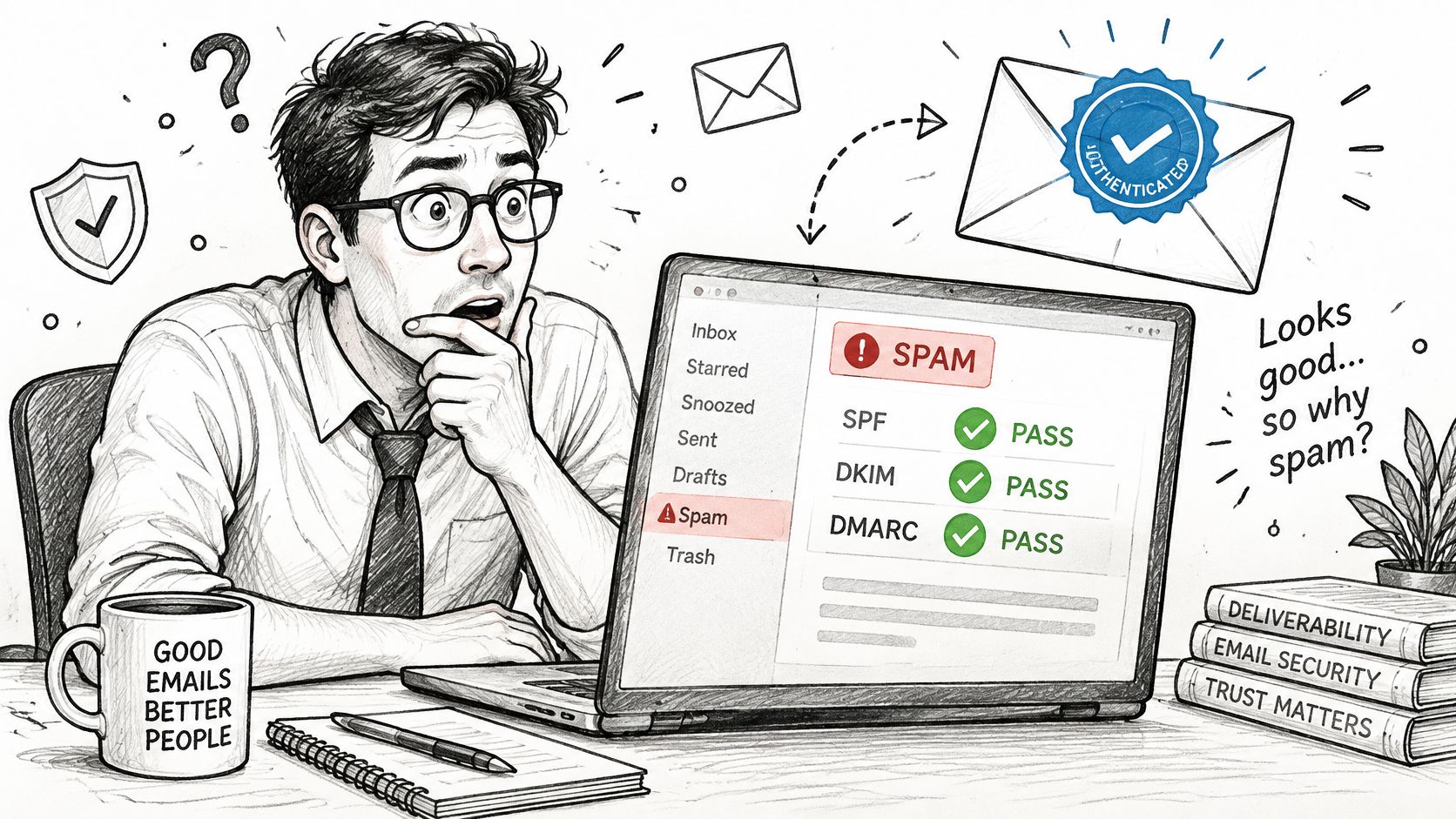
Forwarding can hurt reputation even when the original signature survives. So can a list full of people who delete and never reply. Check signals in the order a deliverability engineer uses:
- Complaint, unsubscribe, and bounce rates for the last two weeks.
- Domain and IP reputation in the mailbox providers' postmaster tools.
- Send volume against the previous period, looking for a jump.
- Engagement by segment, then suppress addresses that never open or reply.
- Forwarding paths and shared IP pools, in case the reputation isn't yours.
Authentication is necessary infrastructure, not a deliverability guarantee. Don't raise volume until those signals are steady. A practical companion while you wait is bulk email deliverability tips, and a fast second opinion on the message itself is a cold email grader.
Keep Authentication Working and Check Records This Week
Records rot as soon as someone adds a tool. Keep a written inventory of every service allowed to send for the domain, with a named owner for each. Publish SPF, DKIM, and DMARC for any new subdomain before its first send. Give each platform its own DKIM selector. Where the provider allows it, use 2048-bit keys and rotate one selector at a time so mail in flight still verifies. Keep the visible From aligned with the signing domain on every campaign.
This week's check is short:
- Look up the live SPF, DKIM, and DMARC records and compare them with the example.com set.
- Count the SPF lookups again whenever a tool is added, and confirm each platform has its own selector.
- Review the last 14 days of aggregate reports, then decide whether you're still at p=none or ready for quarantine.
Authentication is maintenance, not a setup task you finish.
If you'd rather not own that maintenance, we're pay-per-close at Ever Outbound. We handle domain setup, warmup, and deliverability monitoring, and you pay only when a deal closes. You can also run the free email deliverability checker before the next campaign, alongside the other free tools we publish for copy, volume, sequences, and list cleaning.
Ever Outbound Inc. sets up sending domains, warms mailboxes, and watches SPF, DKIM, and DMARC so outbound doesn't die in spam or get spoofed, and we're pay-per-close, so the fee follows closed deals rather than a retainer. If the Monday inbox problem is yours, start with the records in this guide, then talk to Ever Outbound Inc. about running the sending for you.