October 25, 2026
Email Deliverability Issues: Why Good Mail Goes Missing
You've polished the subject line, checked the offer, and sent the campaign. Then Gmail placement drops, replies go quiet, and the sending platform cheerfully reports that every message was “sent.” That status means the mail left your system, not that it reached an inbox.
Think of a letter written perfectly but delivered in a van the post office doesn't trust. Mailbox providers judge the sender's identity, whether recipients want the messages, and how recipients react before they consider the offer inside. That's why email deliverability issues are as much a measurement problem as a configuration problem.
Table of Contents
- Why Good Emails Still Vanish Into Spam
- Symptoms That Point to a Specific Cause
- Gmail's Rules Every Sender Must Meet
- SPF, DKIM, and DMARC Explained With a Guest List
- Complaint Rates and Why Small Lists Trip Them
- How to Diagnose a Drop Step by Step
- How to Fix the Cause Without Making It Worse
Why Good Emails Still Vanish Into Spam
A mail team can spend the morning polishing copy and the afternoon troubleshooting DNS, only to discover the real problem is that recipients don't recognize the sender or don't want the message. The industry's own reported challenges point to that wider problem: 47.9% of senders identify staying out of spam as a major challenge, 33.8% cite list hygiene, and 28.4% cite reducing bounces, according to Mailgun's deliverability findings.
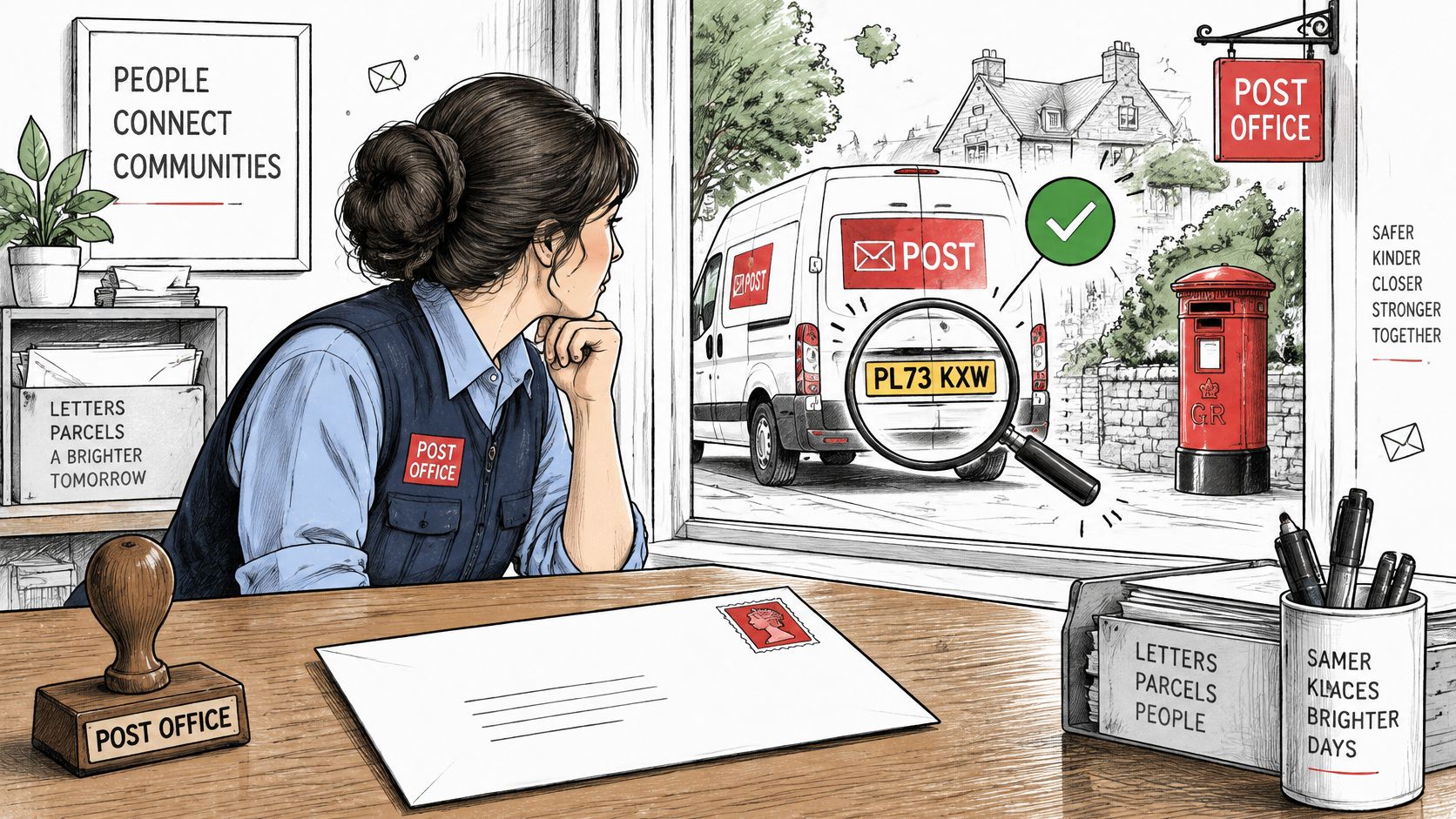
The surprising part is how often teams lack the dashboard that could help explain the trouble. The same reporting says 70% of senders don't use Google Postmaster Tools, 53% don't monitor domain or IP blocklists, and 39% rarely or never clean their lists. Those numbers describe a lot of teams trying to troubleshoot inbox placement with the equivalent of a dashboard that shows only whether the van left the depot.
The useful question isn't just “Did we set up authentication?” It's “What changed, and which signal shows where the failure began?”
A new DNS record won't restore placement if the audience keeps ignoring or reporting the mail. Sender reputation is shaped partly by recipient behavior, so the same message can be technically authenticated and still earn poor treatment if its targeting is off.
If you're unsure whether the copy itself is likely to raise concerns, you can grade a cold email. The practical route is to match symptoms to likely causes, understand the rules and complaint math, diagnose the evidence, and then fix the cause without creating another problem.
Symptoms That Point to a Specific Cause
When Gmail placement collapses but other providers hold steady, the first question is whether Gmail recipients are reporting the mail. The symptom points toward a complaint problem, but a dashboard or log should confirm it before anyone changes the infrastructure.
| Symptom | Most likely cause | Where to confirm |
|---|---|---|
| Gmail inbox placement collapses while other providers hold | Spam rate above 0.3% | Postmaster Tools spam-rate chart |
| Hard bounces climb after a new list is loaded | Unverified or stale addresses | Bounce log split into hard and soft |
| Authentication fails on some messages | SPF lookup limit exceeded or DKIM broken by rewriting | DMARC aggregate reports |
| One mailbox or domain worsens while the rest stay healthy | One damaged sending identity | Stats split by mailbox and by domain |
| Emails rejected outright with 5xx codes | Blocklisting, missing PTR record, or TLS gap | Bounce code text and blocklist lookup |
| Only one campaign underperforms | Weak targeting or irrelevant copy | Reply, unsubscribe, and complaint rate by segment |
| Sending is deferred or throttled after a spike | Volume rose faster than reputation | Daily send volume history |
| A new domain lands in spam from day one | Domain not yet warmed up | Warmup log and domain age |
Read the symptom, then test the cause
Suppose authentication results look clean, delivery to Gmail falls, and other providers remain steady. That pattern makes a Gmail-specific complaint signal worth checking. It doesn't prove the audience is the problem, but it's a stronger starting point than changing every DNS record and hoping one of them was the culprit.
Now consider a different picture: one mailbox deteriorates while other mailboxes on the same program continue to perform normally. That points toward a damaged sending identity. Look at the mailbox-level and domain-level results before changing the shared campaign settings. A healthy aggregate can conceal one mailbox having a very bad day.
The next step is to isolate the pattern. A volume spike, a newly loaded list, and an authentication failure are different kinds of evidence. A volume planner can help organize planned sending, but no planning tool can tell you which suspected cause is correct without confirmation from the relevant reports.
Treat every row as a hypothesis, not a verdict. Two symptoms can share one cause, and one cause can produce several symptoms. Check the confirmation location before changing anything, or you may repair healthy infrastructure while the actual problem keeps sending.
Gmail's Rules Every Sender Must Meet
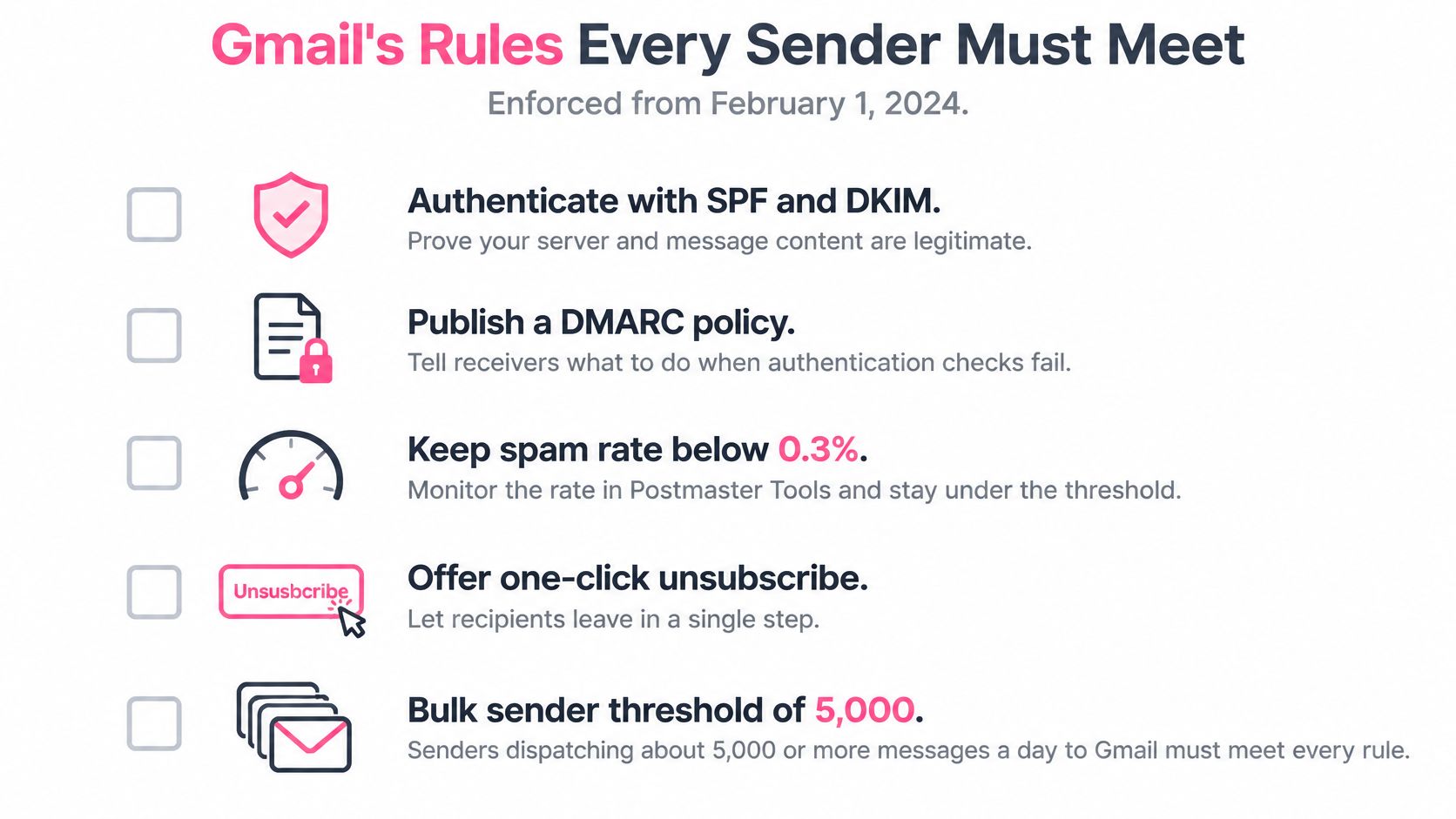
Beginning February 1, 2024, Google made sender requirements an explicit deliverability threshold for mail to Gmail accounts, rather than a set of best practices alone. Its sender guidelines distinguish between requirements for every sender and additional requirements for bulk senders.
Google defines a bulk sender as an organization sending approximately 5,000 or more messages to personal Gmail accounts within a 24-hour period. Think of it as a venue with a bouncer: a small crowd still gets checked at the door, while a large crowd faces the full checklist.
| Requirement | Every sender | Bulk sender (about 5,000+ a day) |
|---|---|---|
| Authenticate the sending domain | SPF or DKIM | SPF, DKIM, and DMARC |
| Spam rate | Keep below 0.3%, aim under 0.1% | Same limits, monitored daily |
| Forward and reverse DNS (PTR) records | Required | Required |
| Transmit mail over TLS | Required | Required |
| Message handling | Avoid unwanted mail | Authenticated mail, avoid unwanted mail |
| One-click unsubscribe | Not specified as a universal requirement | Easy one-click unsubscribe for marketing messages |
Google recommends keeping the spam rate below 0.1%. Reaching 0.3% or higher can remove access to delivery mitigations. Starting in June 2024, bulk senders whose daily rate exceeded 0.3% became ineligible for mitigation until their rate stayed below that level for seven consecutive days.
The distinction matters even if your program is smaller than the bulk threshold. Smaller senders can adopt the stronger practices early, rather than waiting for a reputation problem to make them urgent. Authentication, valid DNS, encrypted transmission, and relevant mail are sensible operating habits, not just paperwork for large campaigns.
For bulk marketing messages, one-click unsubscribe gives recipients a clean exit. When leaving is easy, a recipient has less reason to reach for the spam button instead. Yahoo has also introduced requirements involving DMARC, one-click unsubscribe, and a complaint ceiling below 0.3%, so the operational lesson applies beyond Gmail too.
SPF, DKIM, and DMARC Explained With a Guest List
A nightclub bouncer has a guest list, a way to check that invitations haven't been tampered with, and a policy for what happens when a guest can't pass inspection. Email authentication does the same kind of work, just with less velvet rope.
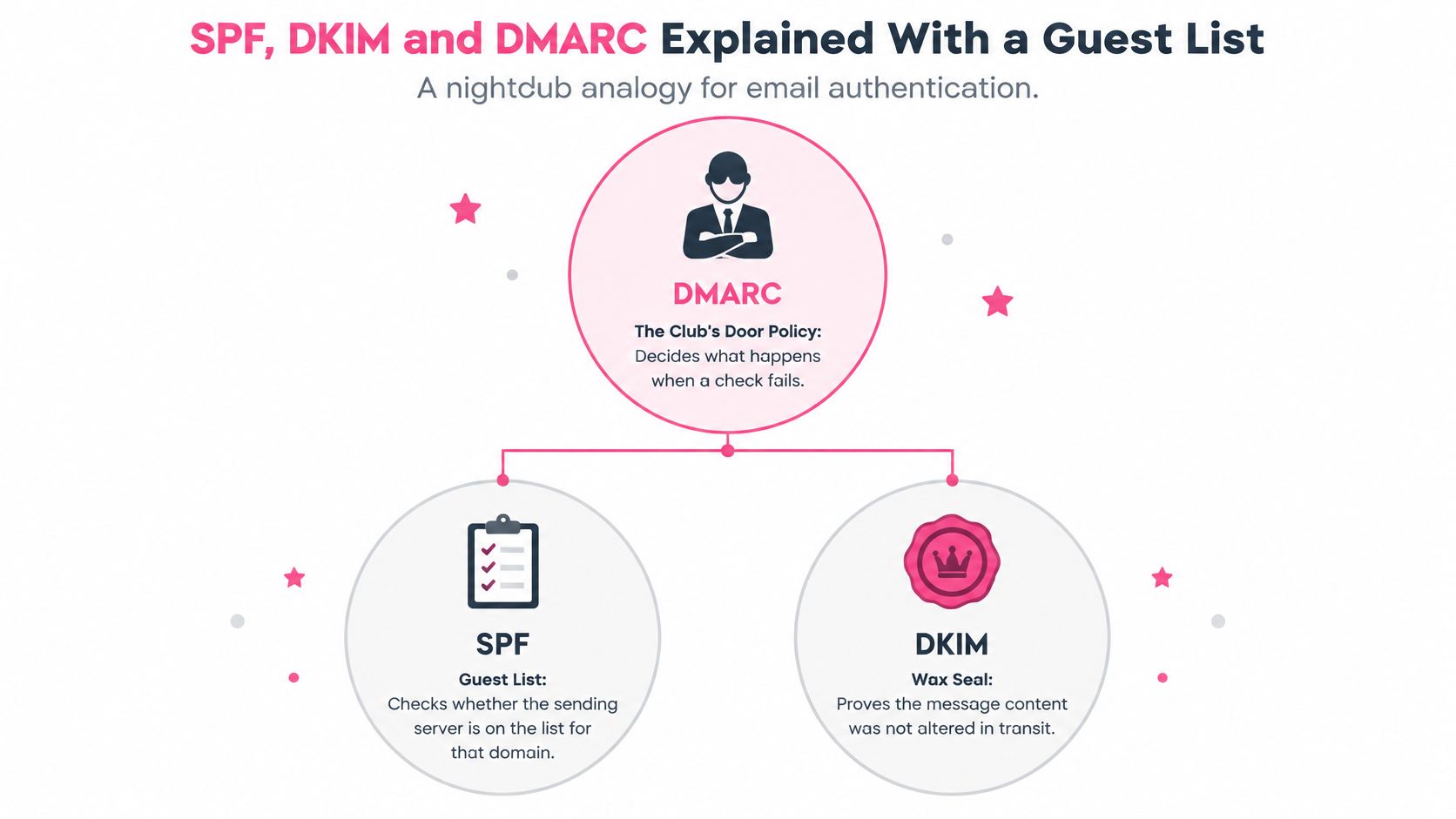
SPF is the guest list at the door. It checks whether the server sending a message is authorized to send for the domain. DKIM is the wax seal on the envelope, a cryptographic signature that helps verify the message content. DMARC is the written door policy: it evaluates whether the visible From domain aligns with the SPF or DKIM identity and tells receiving systems how to handle failures.
The controls can still trip up legitimate mail. An SPF record may look valid but fail operationally if the sending platform exceeds the DNS lookup limit. DKIM can fail if forwarding or message rewriting changes signed content. And even when SPF or DKIM passes, alignment can fail if the visible From domain doesn't match the identity that passed.
Roll it out with visibility first
Don't treat three records as one green checkmark. Track SPF, DKIM, and DMARC results separately for each sending domain and mailbox provider. A single aggregate delivery figure can hide a failing stream inside an otherwise healthy program.
A cautious DMARC rollout starts with a monitoring policy such as p=none. Review the aggregate reports to identify unknown senders and alignment failures, then tighten enforcement once legitimate sources pass consistently. That sequence gives the team evidence before the policy becomes more restrictive.
There's also a reputational reason to keep mail streams apart. Transactional, marketing, and prospecting messages don't all have the same audience or complaint risk. If they share one reputation boundary, a complaint-heavy stream can affect delivery for messages that recipients need.
Here's a short video that walks through the authentication concepts:
Complaint Rates and Why Small Lists Trip Them
One complaint among 200 delivered Gmail messages equals 0.5%, already above the 0.3% threshold. That's the uncomfortable math of a small B2B list: one unhappy recipient can swing the whole day's rate. Google's complaint-threshold guidance recommends staying below 0.1%, not treating the 0.3% boundary as a safe target.
| Delivered Gmail messages | Complaints to stay under 0.1% | Complaints that reach 0.3% |
|---|---|---|
| 200 | Fewer than 1 | 1 (0.5%) |
| 1,000 | Fewer than 1 | 3 (0.3%) |
| 5,000 | Fewer than 5 | 15 (0.3%) |
| 100,000 | Fewer than 100 | 300 (0.3%) |
The first column is the denominator. With a small number of delivered messages, a single complaint takes up a larger share of the total. At higher volume, the rate moves more gradually, but a larger campaign can still cross the boundary if complaints rise.
Cold prospects often have less goodwill than people who signed up for permission-based email. That doesn't make complaint risk mysterious. It means targeting, relevance, identity, and a clear way to opt out matter before the campaign is sent, especially when one recipient's reaction can visibly change the daily rate.
Google and Yahoo introduced complaint thresholds alongside requirements involving DMARC and one-click unsubscribe. For permission-based sending, Gmail, Yahoo, and Apple strongly recommend double opt-in. Those recommendations don't erase the distinction between permission marketing and cold outbound, but they reinforce the value of clear consent and a well-maintained audience.
In a small campaign, the complaint count is not just a score. It's a warning about how recipients are experiencing the mail.
Use smaller test cells, conservative daily volume, and mailbox-specific monitoring. Suppress people who complain, and don't keep sending to recipients who show persistent disinterest. A lead-list cleaner can help teams review list quality, but no cleanup process substitutes for measuring how each audience segment responds. Authentication establishes who sent the message; complaint trends influence whether providers keep trusting that sender.
How to Diagnose a Drop Step by Step
Google Postmaster Tools can help, but its spam-rate number needs careful reading. Google defines it as the share of messages delivered to an engaged recipient's inbox and then marked as spam. The metric applies to DKIM-authenticated mail sent to Gmail, so it's a complaint signal for qualifying traffic, not a complete delivery report for every message.
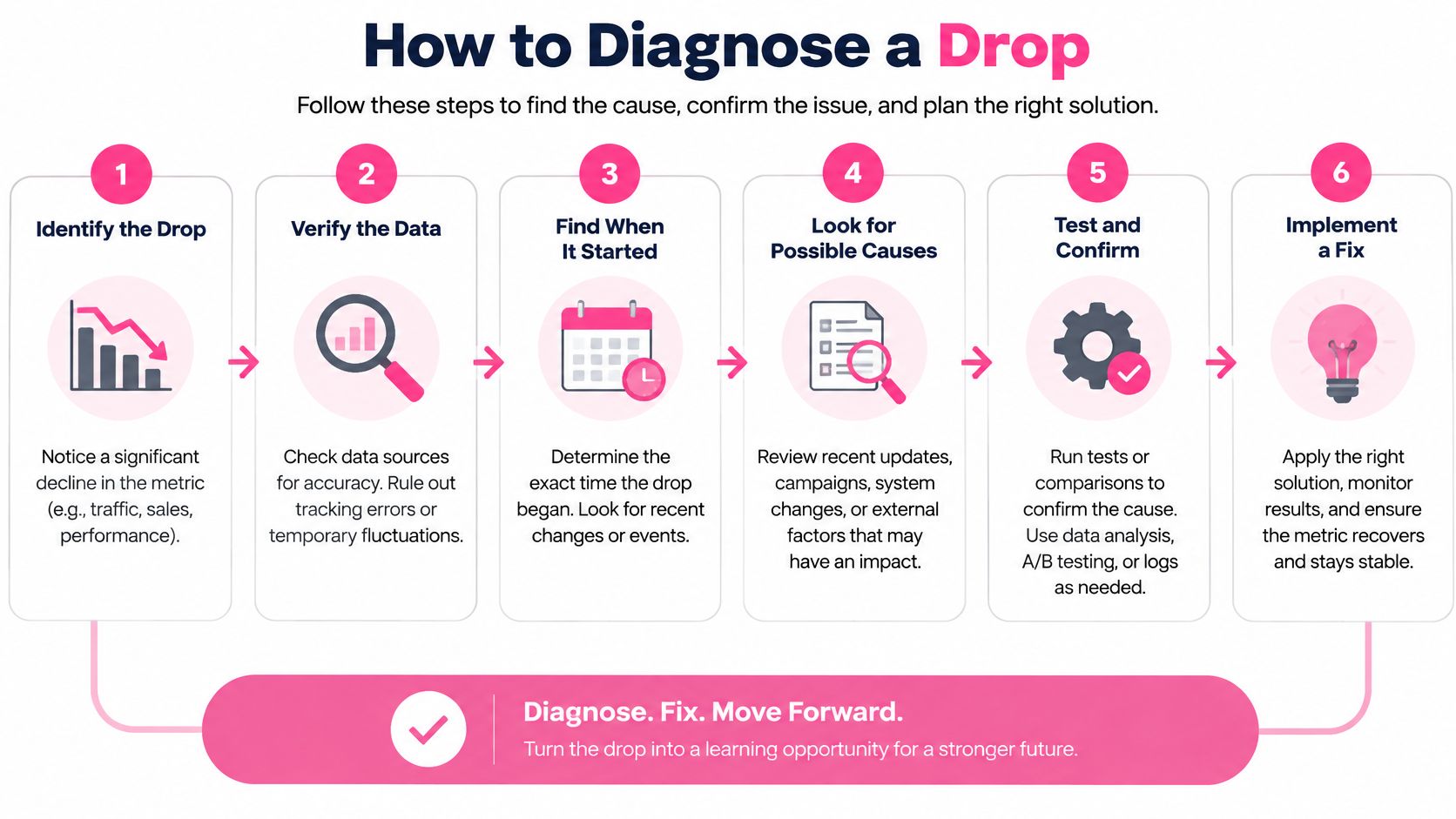
Pull the provider signals. Review the sending domain's Postmaster Tools spam rate, authentication rate, and delivery errors over the available recent period. Because the spam metric reflects qualifying Gmail complaints rather than all delivery outcomes, it tells you about recipient reports, not whether every message reached an inbox.
Separate hard and soft bounces. Inspect the bounce log and remove hard-bounce addresses before the next send. Hard bounces point to addresses that can't accept mail, while soft bounces need to be interpreted with their specific error context.
Check authentication by domain and provider. Review SPF, DKIM, and DMARC results separately instead of trusting one aggregate pass rate. A problem confined to one sending domain or provider can disappear inside a healthy overall average.
Check blocklists. Look up the sending domain and IP, then compare any listing with the timing and wording of delivery errors. A listing is a clue to investigate, not proof that it caused every placement problem.
Break performance down by mailbox and domain. Find out whether one identity is struggling while the others remain stable. This prevents a damaged mailbox from hiding inside a reassuring campaign-wide average.
Compare the same copy across two segments. If the message performs differently with different audiences, targeting or relevance may be contributing. If both segments show the same infrastructure warning, examine the shared sending setup.
Run seed tests at providers you control. Send test messages to Gmail, Outlook, and Yahoo inboxes and check where they land. Seed tests offer a practical placement check, though they don't replace provider reporting or recipient behavior.
Choose the fix that matches the evidence. If infrastructure signals are off, fix sending first; if only one segment is off, revise the audience and copy. A spike in spam complaints alongside clean authentication points toward audience or relevance concerns, while authentication failures point toward DNS or signing problems.
A deliverability checker can help inspect authentication records, but the diagnosis still depends on reading provider signals, bounce classes, and segment results together. A dashboard is useful only when you know what it measures.
How to Fix the Cause Without Making It Worse
| Cause | First fix | Expected recovery |
|---|---|---|
| Spam rate above 0.3% | Pause the segment, suppress complainers, and cut daily volume | Seven consecutive days below 0.3% before mitigation returns |
| Hard bounces from a stale list | Re-verify and remove invalid addresses | Effective on the next send |
| SPF lookup limit exceeded | Flatten or trim SPF includes | Days, as DNS caches expire |
| DKIM broken by forwarding or rewriting | Sign with the sending domain and stop rewriting | Next campaign |
| New domain not yet warmed up | Warm gradually with low daily volume | About two weeks, a planning estimate rather than a Gmail rule |
| One damaged mailbox | Pause and rotate that mailbox while others keep sending | Depends on the cause and mailbox recovery |
| Blocklisted IP or domain | Fix the cause, then request delisting | Depends on the blocklist and its review process |
Start with the worst-performing segment, not the entire sending program. Pause it, suppress anyone who complained, and reduce volume to what the reputation can support. Don't add new domains to outrun a problem; that can spread the damage while making it harder to see which identity caused it.
Keep unsubscribe working and keep each message relevant to its audience. For a new domain or mailbox, plan for gradual warming rather than launching at full campaign volume. At Ever Outbound, email campaigns launch about 14 days after onboarding because new domains and mailboxes need to warm up; LinkedIn campaigns launch within 72 hours.
The common mistake is to see a better dashboard and immediately resume full volume. For bulk senders, Gmail's mitigation rules make the clean run matter: eligibility returns only after the daily spam rate remains below 0.3% for seven consecutive days, as noted in Google's sender requirements. A single better day isn't a recovery plan.
If DNS work, list maintenance, and daily monitoring are more than your team can absorb, outside support is one option. Ever Outbound Inc. is pay-per-close. Before volume goes out, know how the sending domains are authenticated, how complainers are suppressed, and how Postmaster Tools is monitored. A relevant email sequence generator can help organize message variations, but good copy still needs a sound audience and healthy infrastructure behind it.
Ever Outbound Inc. manages B2B client acquisition on a pay-per-close basis, with human research, personalized outreach, warmed sending infrastructure, and qualified calls booked to your calendar. If you want deliverability and prospecting handled together, visit Ever Outbound Inc. to see how the service works.