November 9, 2026
Appointment Setting Lead Generation: A Practical Playbook
Send more emails, book more calls. That's the popular advice, and it's mostly wrong. More volume into a dirty list just burns domains faster, books tourists onto your calendar, and makes your closer practice saying "so, what do you do?" to people who never had a budget.
Good appointment setting lead generation works the other way round. You verify the segment, protect deliverability, write one relevant sequence, then let qualification decide which bookings count. Count qualified meetings per valid contact and held meetings, not raw bookings. Anything else is theatre with a calendar link.
Table of Contents
- Appointment Setting Benchmarks Worth Tracking
- Verified Segment Lists Before the First Send
- Deliverability and Compliance Limits to Respect
- Sequence Cadence That Books Calls Without Burning Lists
- Qualification Rules for Telling Real Meetings From Noise
- Reply Handling Scripts for Interested, Busy and Not-Now Prospects
- Handing Booked Calls to Sales Without Losing Them
- Pick One Segment and Test It This Week
Appointment Setting Benchmarks Worth Tracking
Booked calls are the wrong scoreboard. A setter can inflate them by lowering the bar, booking the curious, the wrong role, and anyone too polite to say no. Your pipeline still starves, only now with better looking screenshots.
Start with delivery and response diagnostics. Gong's sales engagement benchmarks put a baseline rep at 35.2% opens, 1.8% replies, 2.4% clicks, and 2.7% bounces, while top performing representatives reached 49% opens, 3.9% replies, 4.5% clicks, and only 0.5% bounces.
Benchmark Values for Outbound Email Performance
| Metric | Baseline rep | Top rep | What it signals |
|---|---|---|---|
| Open rate | 35.2% | 49% | Deliverability and sender reputation |
| Reply rate | 1.8% | 3.9% | Relevance of the first message |
| Click rate | 2.4% | 4.5% | Interest in the offer or resource |
| Bounce rate | 2.7% | 0.5% | List quality, fix before changing copy |
| Qualified meetings per valid contact | Set from your control cohort | Beat the control cohort | Headline target for the whole campaign |
Read the table in diagnostic order. Bounces come first because bad addresses poison sender reputation and make every later comparison unreliable. If bounces look like the baseline while top reps sit near 0.5%, don't rewrite the subject line for the ninth time. Clean the list.
Opens come next. They tell you whether mail is landing somewhere humans might see it, though privacy features make them a rough signal, not a religion. Replies judge relevance. Strong opens with weak replies usually mean people saw the message and shrugged, which is a targeting or offer problem, not a reason to add three louder follow ups. Clicks matter only when you're offering a resource worth clicking. Many strong cold emails earn a reply without one.
The Numbers the Benchmark Table Cannot Cover
Add the stages that connect activity to revenue: delivered messages, positive replies, qualified replies, meetings booked, meetings held, show rate, sales qualified opportunities, and closed won revenue. Measure booked, held, qualified, and opportunity producing meetings separately. A booking that no shows was never pipeline. A held call with the wrong person was just an expensive chat.
Practical rule: If raw bookings rise while held, qualified meetings fall, your campaign didn't improve. Your definition got weaker.
Put every stage on one dashboard before launch and compare cohorts over a fixed delivery window, such as 14 days. Change one major variable at a time, whether that's segment, offer, opening hypothesis, or call to action. I would use an outbound volume planner to sanity check how many valid contacts a test needs before anyone declares a winner from eleven replies and a dream.
Verified Segment Lists Before the First Send
Don't write copy for "B2B companies." That's not a segment, it's a weather report. Define the ideal customer profile and one buying trigger you can date, such as a hire, funding round, or new service launch in the last 90 days.
- Pick one segment: Choose companies that match the profile and show the trigger. One segment, one problem, one offer.
- Find the actual decision maker: Verify the person by role, not just by company name. A perfect account with the wrong inbox is still the wrong prospect.
- Segment tightly: Split by industry, role, geography, and pain point so each cohort shares a problem your offer plausibly solves.
- Validate every address: Remove invalid contacts, existing opt outs, past complainers, and anyone who already fails the qualification criteria.
- Record source and date: Keep where each record came from and when it was checked, so you can audit accuracy when results wobble.
A quick pass through a lead list cleaner helps, but cleaning syntax isn't the same as proving relevance. Also store consent, lawful basis notes where they apply, and suppression status beside the contact. GDPR governs contacts in the EU, CPRA covers California, and India, Brazil, and the Philippines have their own privacy rules. Don't use personal data in outreach just because a scraper found it.
Personalization you can't justify is just surveillance with a first name token.
When the list is verified this way, bounces and replies mean something. You're measuring targeting and message fit, not rewarding whoever bought the most decayed spreadsheet.
Deliverability and Compliance Limits to Respect
Outbound teams treat deliverability like a plumbing repair: ignore it until the floor is wet. By then the domain is burned, and every qualified meeting the segment might have produced goes down with it. These limits are the permission slip for launching at all, and they apply before the first send.
Sending Requirements and Thresholds
| Requirement | Threshold | Action when at risk |
|---|---|---|
| Sender authentication | SPF or DKIM required for all senders | Fix DNS before any send |
| DMARC | Required near 5,000 messages a day to personal Gmail | Align From domain with SPF or DKIM |
| Spam complaint rate | Keep below 0.1%, never reach 0.3% | Pause the segment and review targeting |
| One-click unsubscribe | Required for marketing above 5,000 daily Gmail messages | Add header and body unsubscribe |
| CAN-SPAM opt-out | Honor within 10 business days, link works for 30 days after send | Suppress immediately and log |
Run this preflight before a new segment goes live.
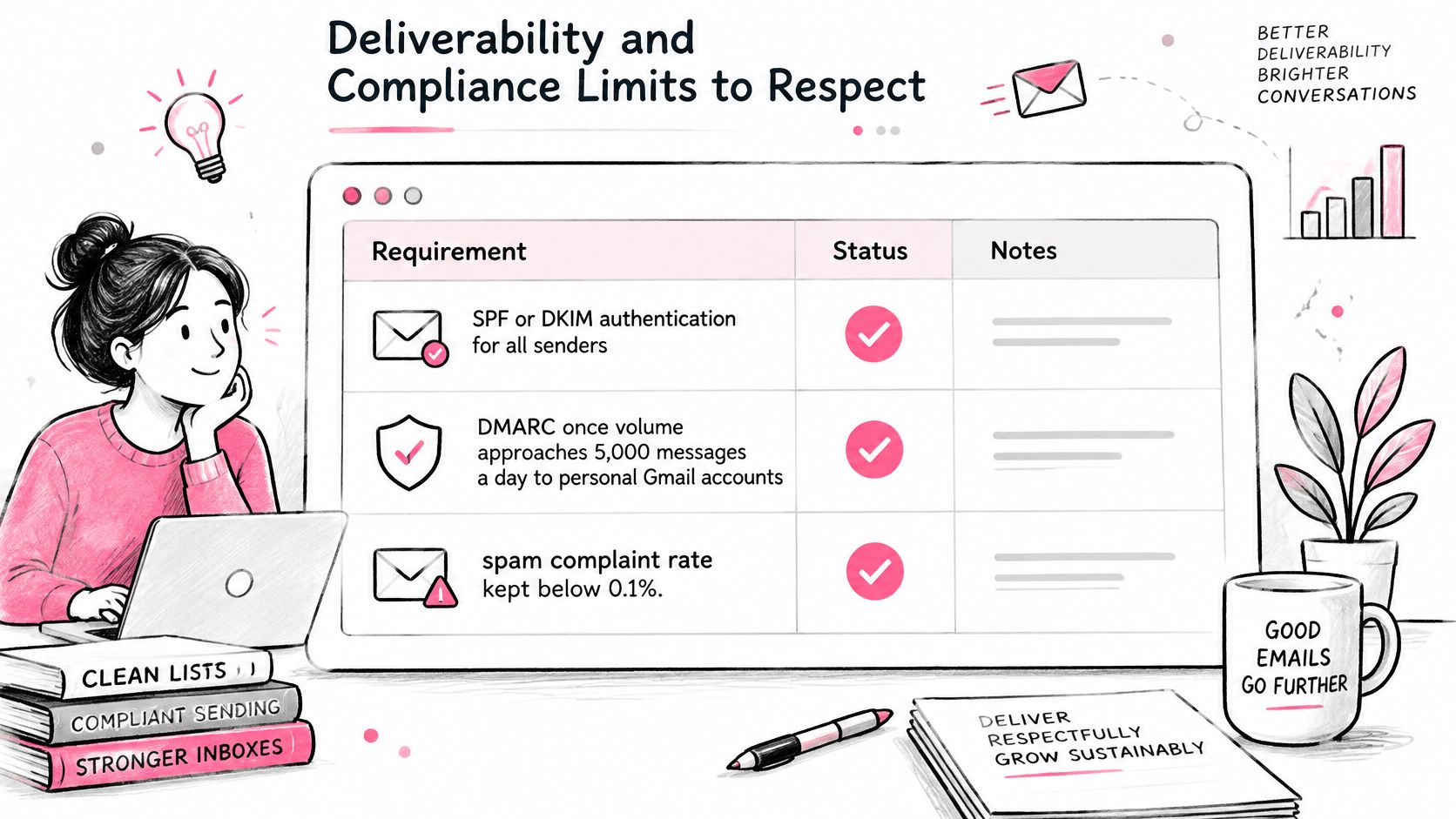
Google's sender guidance requires all senders to authenticate with SPF or DKIM, treats anyone reaching approximately 5,000 messages per day to personal Gmail accounts as a bulk sender who must also implement DMARC, valid forward and reverse DNS, TLS, From domain alignment, and one click unsubscribe for marketing messages, and recommends holding the user reported spam rate below 0.1% and never letting it reach 0.3%. Cross the complaint line and Gmail's filters stop trusting the domain, which drags inbox placement down for every campaign running on it.
For US commercial email, the FTC CAN-SPAM compliance guide requires accurate headers, non deceptive subject lines, and an opt out mechanism that stays capable of processing requests for at least 30 days, with requests honored within 10 business days. Don't make people pay, hand over extra information, or jump through steps beyond replying by email or visiting a single page. CAN-SPAM is a floor, and mailbox providers enforce stricter rules than the law does.
The Operating Standard
Authenticate each sending domain, verify DNS and DMARC alignment, separate campaign identities from core corporate mail, and validate addresses before sending. Ramp volume gradually, cap daily sends by mailbox and domain, and monitor bounces, complaints, authentication failures, and placement signals together. Fold an email deliverability checker into that preflight so DNS and authentication failures surface while they are still free to fix.
More mailboxes don't license more volume. Infrastructure spreads throughput, but it can't redeem poor targeting, misleading personalization, or an offer nobody asked for. If replies fall while bounces or complaints rise, assume a data, targeting, or reputation problem first. Pause the segment, suppress unsubscribes immediately, and only then argue about copy.
Sequence Cadence That Books Calls Without Burning Lists
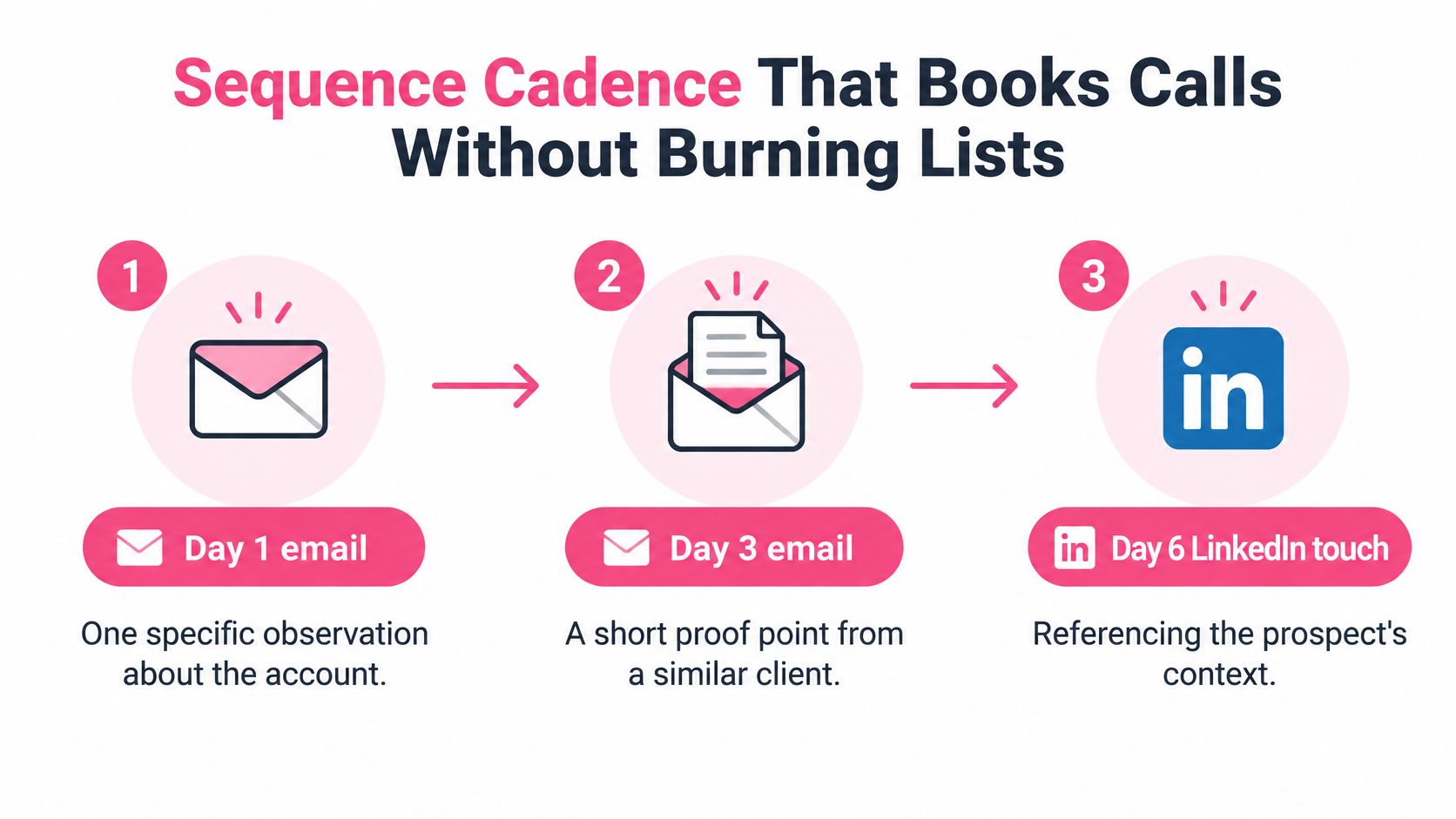
Five touches over two weeks gives a busy decision maker several easy chances to say "relevant" or "not for me." Past that point it starts feeling like being chased around the internet by the same paragraph wearing different hats. Judge the cadence by qualified meetings per valid contact and by held meetings, never by raw bookings. A booked call that never happens is a scheduling artifact, not pipeline.
Here's the cadence at a glance before you build it.
Outreach Cadence for a 14 Day Appointment Setting Sequence
| Day | Channel | Purpose | Ask |
|---|---|---|---|
| Day 1 | One specific observation about the account | Short question about the problem | |
| Day 3 | Proof from a similar client | Reply or a 15-minute call | |
| Day 6 | Context on the prospect's role | Connection and a light question | |
| Day 10 | Benchmark or diagnostic offer | Accept the diagnostic or decline | |
| Day 14 | Clear close of the loop with an opt-out | Final yes or no |
The gaps widen as the sequence runs: two days, then three, then four. Early touches ride the momentum of the opening observation, and the later ones need room to breathe so each arrival feels like a new point rather than a reminder of the last one.
Personalization is the lever that separates a sequence from spam. LinkedIn's buyer research reports that 78% of B2B buyers strongly agree that outreach should be personalized. Connect the prospect's role, company situation, and likely business problem to the proposed conversation. "Saw you're a VP" proves you can read LinkedIn, nothing more.
Build the Sequence
- Lead with one role problem: Write the first message around a problem that role owns. Skip the product tour, the company history, and the dreaded "we help businesses like yours."
- Make the observation earn its place: Use verified business context, such as a new hire, service launch, office opening, or visible gap on the prospect's site. Tie it to a hypothesis, then ask one short question.
- Add proof without bragging: On Day 3, use a concise result from a similar client and explain why it might map to this account. "Similar size, same bottleneck" beats a wall of logos.
- Change the room on Day 6: Use LinkedIn to reference the person's role or a post they've published. Keep it light. You're becoming recognizable, not delivering a second pitch in a different font.
- Lower the friction on Day 10: Offer a benchmark, diagnostic, or observation instead of another generic call request. A prospect who won't grant a meeting will often accept a useful answer that resolves a gap.
- Close cleanly on Day 14: Say you're closing the loop and make opting out easy. Silence after five touches is answer enough for this test.
Watch how the timing and channel changes work together in this walkthrough.
Keep every follow up short and make each one add something new: a result, a relevant observation, a smaller offer, or a clean exit. "Just bumping this" adds nothing except evidence that you own a keyboard. Any reply or opt-out stops the sequence immediately, because a prospect who answered and still gets Day 10 will remember it for the wrong reason. I would draft and compare variants in an email sequence generator, then change only one variable per test, such as the opening hypothesis or the call to action, across the same delivery window.
Stop after the final touch. A burned list doesn't warm up because you invented a sixth excuse to email it.
Run this cadence on one segment first and count qualified meetings per valid contact alongside held meetings. If both numbers move, scale the segment logic and let the send count follow. If bookings rise while held rate sinks, the problem sits in qualification or reply handling, and more touches will only hide it.
Qualification Rules for Telling Real Meetings From Noise
A booking is an output. A held meeting with a qualified buyer is the result. Dashboards count the first and overlook the second, which is how calendars fill up with calls your closer should never be taking.
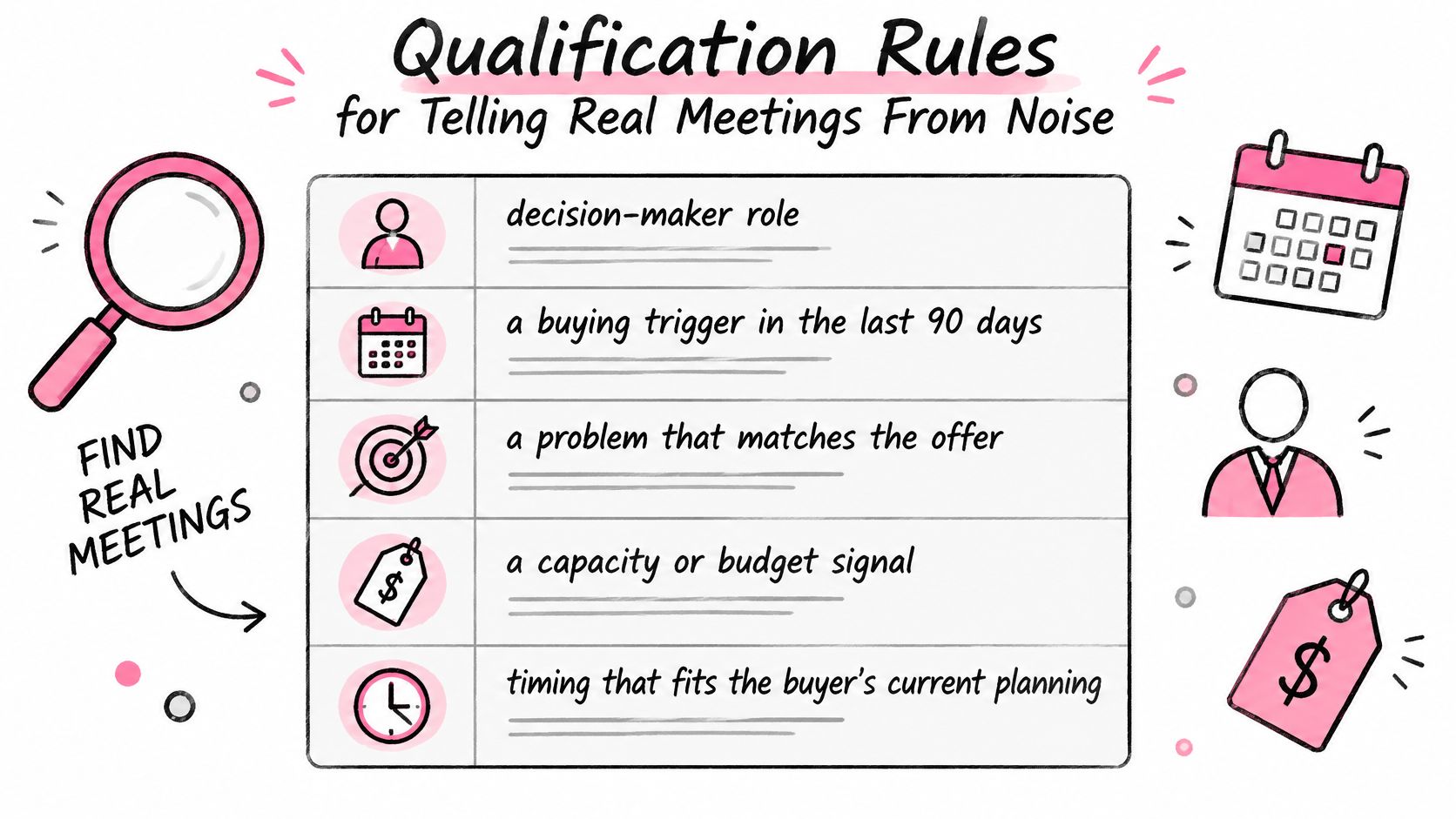
Three ingredients separate a real meeting from noise in a blazer: a decision maker, a timely problem, and a plausible route to budget. Score every positive reply against these criteria before it touches the calendar.
Qualification Criteria for an Appointment
| Criterion | Qualifies when | Park or disqualify when |
|---|---|---|
| Decision role | Owner, partner or budget holder | Gatekeeper with no influence on the purchase |
| Buying trigger | Hiring, funding or new service in the last 90 days | No recent change in the account |
| Problem match | Describes the problem the offer solves | Interested only in a general topic |
| Capacity or budget | Mentions a budget, team gap or deadline | Says no budget and no plans to form one |
| Timing | Can talk in the next 30 days | Asks to revisit next year. Set a dated follow up |
| Market fit | Industry and size match the ideal client profile | Outside the ideal client profile |
The park column is where discipline pays. A prospect with no trigger this quarter is dated, not dead. Log the follow up and stop spending touches on them.
Buyers also arrive pre-educated now. Forrester's B2B buyer research found that 94% of business buyers use AI in their buying process, so a prospect may hold a shortlist before your first email lands. A bare "got 15 minutes?" reads thin against that homework. Lead with a benchmark, diagnostic, or observation that closes an information gap they can't fill alone, because the offer itself acts as a qualifier: someone who bites on a benchmark has a problem worth discussing.
Say an agency sends sequences to 300 verified contacts and gets 9 positive replies. Check role, problem match, and timing, and only 4 qualify. The other 5 get parked with dated follow ups or referred to the right person. That isn't a failed campaign. That's qualification doing its job, producing 4 qualified meetings from 300 valid contacts, a ratio worth more than the reply count.
Book only the 4 whose context supports a real conversation. Route warm but thin replies through a clear qualification step and ask one precise question about ownership, timing, or capacity. Don't interrogate them like airport security. One good question beats a form with twelve fields.
Judge the outcome by qualified meetings per valid contact and by held meetings, never by raw bookings. Track buyer intent, problem clarity, attendance, opportunity creation, and progression to close. Fewer, context rich meetings outperform a calendar stuffed with loosely qualified appointments. Your closer's time is the expensive inventory here. Stop discounting it.
Reply Handling Scripts for Interested, Busy and Not-Now Prospects
Most campaigns don't die in the first email. They die in the reply thread, where someone answers "sounds interesting" with a 400 word pitch, three attachments, and a calendar link set to the wrong continent.
Route every reply into one shared inbox and assign a human owner. At Ever Outbound, we're pay-per-close, and replies land in a shared inbox managed by our team and the AI Appointment Setter. Automation can sort and draft, but ambiguous replies need a person who can tell a polite brush off from a genuine "not now."
Scripts by Reply Type
- Interested now: Reply the same business day. Say, "Great, would Tuesday at 10:30 or Thursday at 14:00 your time work for 15 minutes?" Offer two specific slots in the prospect's time zone, confirm the problem in one clause, and log a positive reply.
- Asks for a later date: Reply within one business day with, "No problem, I'll follow up on the date you gave. Anything specific you'd want covered then?" Set a dated follow up for that exact date and log a timing objection. "Later" is not a date, so don't file it as one.
- Wrong person: Reply within one business day. Say, "Thanks for pointing me in the right direction. Who owns this on your team?" Log a referral, verify the new contact, and start that person fresh rather than forwarding the entire thread like a chain letter.
- Busy or timing objection: Acknowledge the constraint, don't argue with their calendar, and ask when to revisit. Log the reason and the follow up date. If they give no date, use your standard nurture interval and stop pestering them in the active sequence.
- Unsubscribe: Suppress the contact immediately, never follow up, and log the opt out. No farewell email. No "are you sure?" That door is closed, respect it.
- Hostile complaint: Suppress immediately, escalate to a person, and log the complaint. A short apology is enough where a response is appropriate. Don't debate, explain your targeting model, or try to win the thread.
Each script should acknowledge the reply, name the next step, and stop. One or two sentences usually do it. The common mistake is answering an objection with a longer pitch, which turns mild interest into buyer's remorse before a call even happens.
Write this policy before launch, including response windows, owners, status labels, and suppression rules. Review a sample of replies weekly for misclassification, especially "not interested" replies that mention timing and "send info" replies that hide a real problem. Speed matters, but accurate judgment matters more. A fast wrong booking is still wrong.
Handing Booked Calls to Sales Without Losing Them
The most common handoff failure is simple: a meeting gets booked, nobody prepares, and the closer opens by asking questions the prospect already answered by email. It's a wonderful way to make a qualified buyer feel unqualified.
Use this checklist for every booking that survives qualification.
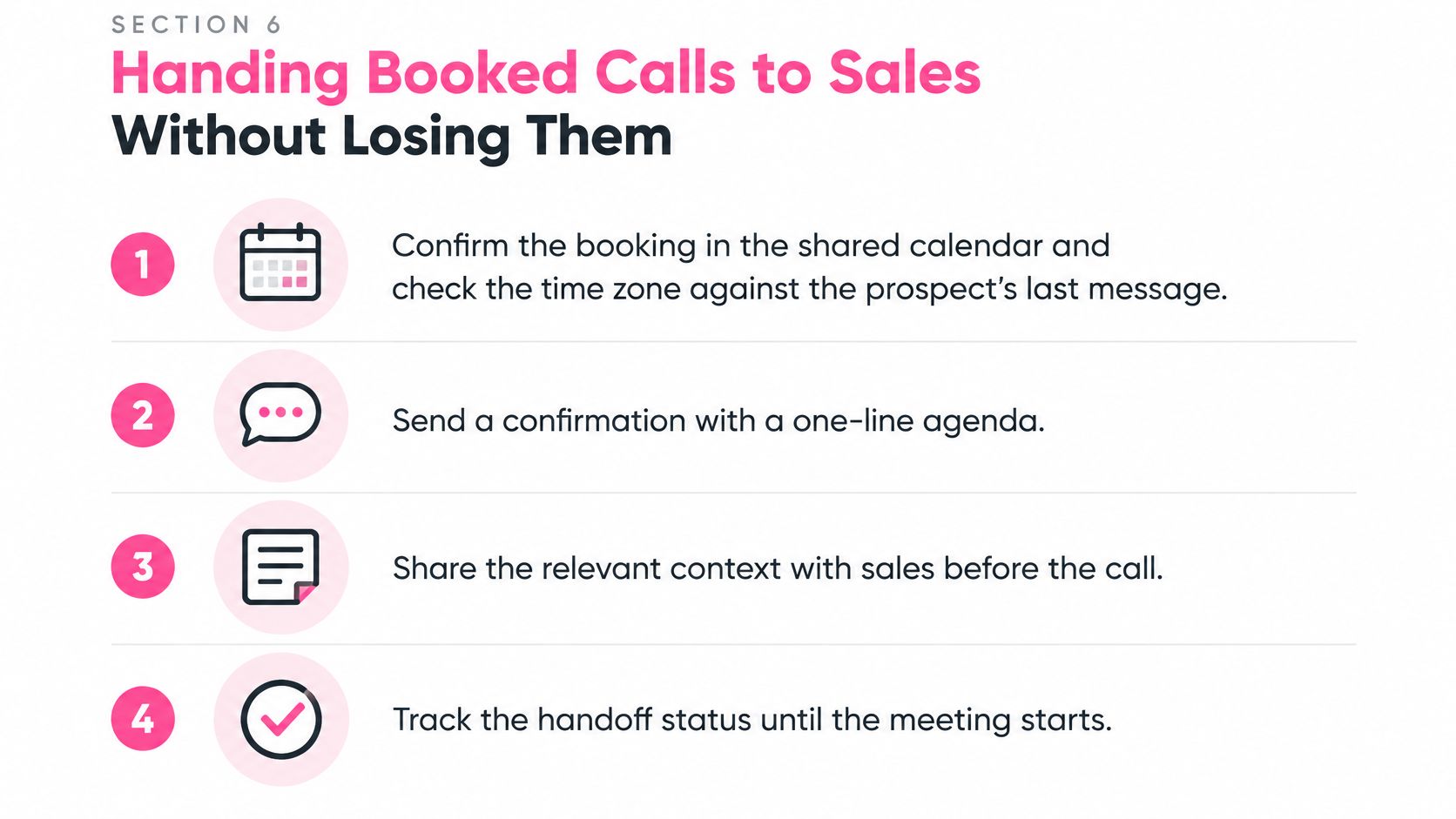
- Confirm calendar and time zone: Check the shared calendar against the prospect's last message. Interested prospects are booked straight onto the client's calendar, which is useful only if 10:00 means the same 10:00 to both humans.
- Send a one line agenda: Confirm the time and name the problem the prospect raised, such as reviewing why a new service launch hasn't produced enough enquiries. A specific agenda gives the prospect a reason to attend beyond "intro call," which sounds suspiciously like homework.
- Remind twice: Send reminders 24 hours and one hour before the call. Keep them short, restate the agenda, and include the joining details where the prospect can find them without excavating an inbox.
- Brief the closer: Pass over role, stated problem, trigger, timing signal, capacity clues, objections, and exact phrases from the replies. Don't make sales restart discovery from zero unless you enjoy watching momentum evaporate.
- Notify the owner immediately: The sales owner should know the moment a prospect shows interest or books. At Ever Outbound, we're pay-per-close, clients are notified the moment a prospect is interested or books a call, and every booking shows in the live dashboard.
- Log the outcome: Mark every call as held, no show, or rescheduled, then record whether it became an opportunity. An unlogged no show hides weak intent, bad timing, or a confirmation process held together by hope.
Reschedules need a clear owner too. At Ever Outbound, we're pay-per-close, and we never move or cancel a booked meeting on the client's behalf, so clients reach out to prospects directly to reschedule. That keeps the relationship with the person who will run the call.
Review handoffs weekly with sales. Ask which meetings were well qualified, which briefs missed context, and which replies should have been parked. Feed those answers back into list building and qualification. Otherwise, setters keep optimizing for bookings while closers keep paying for them.
Handoff test: If the closer cannot explain why this person agreed to talk now, the meeting isn't ready to hand over.
Pick One Segment and Test It This Week
Run one clean test instead of five vague ones.
- Pick one verified segment with a dated trigger and a role you can confirm.
- Launch the five touch cadence to that segment only, changing one variable against a control cohort.
- Set the dashboard and 14 day window before the first send.
- Review replies daily, classify every type, and follow the written reply policy.
- Judge the result on qualified meetings per valid contact and show rate, not opens.
- Book the review now and decide whether to scale the segment, fix the list, or change the offer.
If you'd rather hand the work over, Ever Outbound, we're pay-per-close, offers the Scale + AI Setter plan at $497/mo plus a 5% pay-per-close fee on closed deals, including automatic reply qualification and hands off calendar booking. The AI Appointment Setter is free and included with no separate monthly charge.
If your calendar is full but your pipeline isn't moving, let Ever Outbound Inc. rebuild the front end around verified segments, protected deliverability, and qualification that your closers can trust. At Ever Outbound Inc., we're pay-per-close, so our appointment setting lead generation is built to produce held, qualified conversations and closed deals, not vanity bookings. Visit us, bring one segment you believe in, and let's turn it into a clean test your sales team will thank you for.